
Partner with Hire Chore and focus on your strengths.
*100% free, no-obligations consultation to determine your Ops blockers

Enter your info to receive the guide instantly.
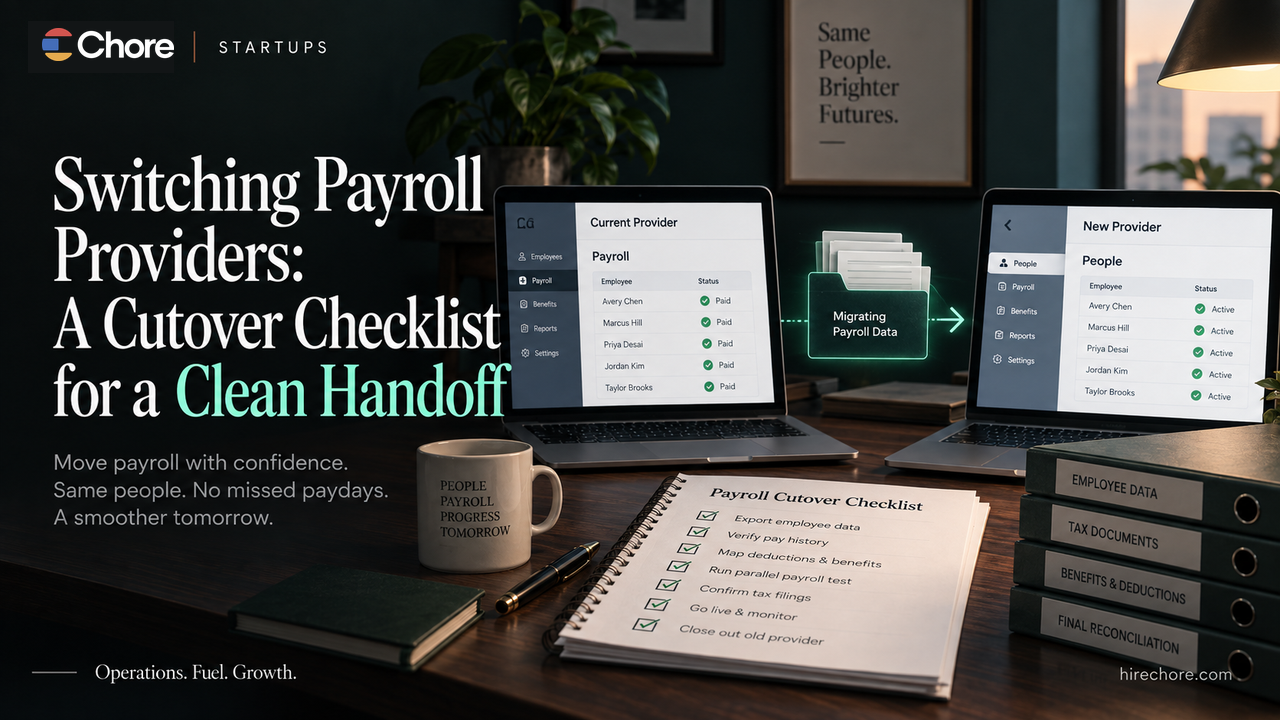
Switching payroll providers is not finished when employee data appears in the new system. The cutover is complete only when the company can prove that records, authorizations, responsibilities, calculations, and open obligations moved cleanly enough to trust the first live payroll.
That matters because payroll providers do not all have the same role. A payroll service provider, reporting agent, section 3504 agent, CPEO, PEO, and EOR can carry different responsibilities and authorizations. Before planning the migration, identify the arrangement you actually have and the services each provider is contracted to perform.
The safest approach is to treat the switch as a controlled handoff with five records:
1. Cutover calendar.
2. Data and record inventory.
3. Filing and payment responsibility matrix.
4. Test or parallel-run exception log.
5. Go-live and old-access closure sign-off.
The goal is not a “perfect migration.” It is a documented decision that says either GO LIVE or DELAY / ROLL BACK, with evidence for why.
Do not cancel the old provider first
The most expensive migration mistake is closing the old system before you know what records, access, or unresolved responsibilities you still need from it.
Start by setting a transition window around a specific target payroll. Record:
- the last payroll intended to run in the old system;
- the first payroll intended to run in the new system;
- pay dates and approval cutoffs;
- contract termination or notice dates;
- bank and tax authorization deadlines;
- employee communication dates;
- system-access cutoff dates;
- the test or parallel-run date; and
- the final go-live decision date.
Do not assume a year-end or quarter-end switch is automatically best. Calendar boundaries can simplify some reconciliations, but a broken provider, expiring contract, data problem, or implementation constraint can make another date more sensible. Build backward from the actual provider cutoffs and the evidence you need before go-live.
Step 1: identify the payroll arrangement before assigning responsibility
The IRS distinguishes among different third-party payer arrangements. A typical payroll service provider and a reporting agent are not the same thing, and Form 8655 is specifically used to authorize certain reporting-agent activities.
That distinction matters during a switch because the company must know who is expected to:
- prepare payroll;
- file Forms 941 or 940;
- make federal tax deposits;
- prepare W-2s;
- receive notices;
- maintain payroll records; and
- act under any specific IRS authorization.
Do not infer these responsibilities from the vendor's marketing page. Check the signed service agreement, current authorization forms, the old provider's documented scope, and the new provider's implementation plan.
For ordinary payroll service provider and reporting-agent arrangements, IRS guidance says employers generally remain responsible for ensuring federal employment-tax obligations are met. Other arrangements, including certain CPEO structures, can work differently. Use the documented arrangement rather than a generic rule.
Step 2: export the old-provider record set before access disappears
Before cancellation, preserve the information you may need to prove what happened under the old provider.
At minimum, inventory:
- company and legal-entity settings;
- employee master data;
- current and former employee records;
- year-to-date and quarter-to-date payroll registers;
- earnings and deduction histories;
- benefit deduction setup;
- garnishment records, where applicable;
- tax-liability reports;
- filed-return copies and acceptance confirmations;
- deposit or payment confirmations;
- W-2 and prior-year payroll records;
- agency notices and correspondence;
- reporting-agent or tax authorizations;
- direct-deposit and bank-funding settings;
- accounting mappings;
- general-ledger export settings;
- integrations and API connections;
- audit or change logs available in the old system; and
- open support cases.
Federal employment-tax records generally need to be retained for at least four years. That is a federal tax-record rule, not a complete retention policy for every payroll, employment, benefits, contract, or state record. Preserve the old-provider evidence first, then apply the appropriate retention rules to each category.
A migration checklist should therefore contain a field for acceptance evidence, not merely “exported: yes/no.” For an important record set, note what was exported, the period covered, the file location, who reviewed it, and whether it is usable.
Step 3: build a filing and payment responsibility matrix
Provider switches create a dangerous grey zone: the old provider assumes the new provider will file or pay something, while the new provider assumes the old provider owns the period.
Do not leave that boundary implicit.
Create one row for every obligation that could straddle the switch:
| Obligation | Period / due date | Old provider | New provider | Company owner | Evidence required |
|---|---|---|---|---|---|
| Payroll run | |||||
| Federal tax deposit | |||||
| State/local tax payment | |||||
| Form 941 / 940 | |||||
| Amendment or correction | |||||
| W-2 / W-3 | |||||
| Agency notice | |||||
| Benefit deduction/feed | |||||
| Garnishment | |||||
| Employee payroll question |
For each row, get the responsibility in writing wherever possible.
If the new provider will act as a reporting agent, confirm whether a current Form 8655 or other authorization is required and when it becomes effective. Do not assume an authorization from the old provider transfers automatically.
The matrix should also capture what the company itself must still monitor. The IRS recommends employer safeguards such as retaining the employer's address of record and independently monitoring federal tax payments rather than relying entirely on the third party.
Step 4: map every transferred field to an acceptance test
A migration can look successful while carrying a bad configuration into the new system.
For every important field or configuration, record:
- source;
- destination;
- old value;
- new value;
- effective date;
- validation method;
- reviewer;
- evidence;
- exception status.
The high-risk areas usually include:
Employee population
Confirm that expected active employees appear, terminated employees are handled correctly, and no unexpected employees are present.
Compensation
Check salaries, hourly rates, effective dates, recurring earnings, commissions, bonuses, and other approved one-time payments.
Time and leave
Verify time-source integrations, approved hours, leave balances where in scope, and treatment of any manual imports.
Benefits and deductions
Transfer only the benefits and deduction responsibilities actually included in the provider scope. Do not assume a payroll-provider change automatically migrates the underlying benefit plan, carrier, eligibility rules, or compliance responsibility.
Tax setup
Verify the company and employee tax configuration that the new provider is expected to maintain, including legal entities, work locations, unemployment accounts, and relevant withholding elections. State and local requirements vary, so route jurisdiction-specific setup questions to the provider or qualified adviser.
Banking and funding
Confirm payroll-funding accounts, authorization requirements, debit timing, direct-deposit setup, and any fraud-prevention or approval controls.
Accounting and integrations
Check general-ledger mappings, department or cost-center fields, accounting exports, HR integrations, benefit feeds, and any downstream reporting dependencies.
The rule is simple: transferred is not the same as accepted. A field is accepted only when the right person has checked that it landed correctly and retained evidence of that check.
Step 5: run a controlled test or parallel payroll
Before the first live run, compare the new system's proposed payroll against a trusted reference.
Depending on the provider and timing, that reference might be:
- the old provider's calculation for the same employee population;
- the most recent completed payroll adjusted for approved changes; or
- a separately reviewed expected-payroll file.
Compare at least:
- employee count;
- gross pay;
- regular and one-time earnings;
- employee deductions;
- benefit deductions;
- federal, state, and local taxes;
- employer taxes;
- net pay;
- payroll funding total; and
- material employee-level variances.
Do not demand identical numbers where the underlying approved inputs legitimately changed. The purpose of the test is to explain differences, not eliminate them.
For every material variance, record:
- what differs;
- expected or unexpected;
- source of the correct value;
- owner;
- correction;
- evidence;
- whether the issue blocks go-live.
A test is useful only if it changes the decision.
Step 6: use a real go / no-go gate
Do not go live because the implementation project is “95% complete.”
A practical cutover gate should ask:
GO LIVE only if
- the employee population is complete and reviewed;
- material compensation and deduction differences are explained;
- required tax and bank authorizations are active;
- the first payroll calculation has been reconciled;
- funding works as expected;
- each remaining filing, deposit, notice, and year-end responsibility has a named owner;
- unresolved exceptions have an explicit disposition;
- the company retains the old records it still needs; and
- there is a documented escalation path if the first live run fails.
DELAY OR ROLL BACK if
- required employee or year-to-date data is missing;
- material payroll variances remain unexplained;
- funding is not proven;
- required authorization is incomplete;
- filing or payment responsibility is disputed or unassigned;
- the provider cannot support a material jurisdiction or payroll requirement;
- the company has already lost access to evidence needed to verify the cutover; or
- there is no workable contingency for an unsuccessful first run.
Your actual rollback option depends on the old provider's contract and system status. Define it before the decision date rather than discovering after a failed payroll that the old account is already inaccessible.
Step 7: keep old-provider access until closure criteria are met
“First payroll processed” is not necessarily the end of the migration.
Before removing old access, confirm that:
- historical records are retained;
- required tax filings and deposits for the old provider's periods have been assigned and evidenced;
- outstanding notices or corrections have an owner;
- year-to-date balances agree with the new provider;
- W-2 responsibility is documented;
- benefit or deduction handoffs are complete where applicable;
- accounting integrations are producing usable output; and
- the company knows where to retrieve the records later.
Then revoke access deliberately. Record who closed the account, when access ended, which records were retained, and which open obligations remain.
Do not assume that four years of federal employment-tax retention means every payroll-related record can be destroyed after four years. Other tax, employment, benefits, contract, litigation, insurance, or state rules can require different retention.
What happens after the switch
The new provider still needs recurring controls.
For the first few cycles, pay particular attention to:
- unexpected employee changes;
- tax account setup;
- funding;
- benefit and deduction feeds;
- accounting exports;
- tax-payment evidence;
- notices; and
- differences between payroll and internal records.
Once the migration is stable, move the recurring pre-run check into your normal payroll process. Chore's pre-payroll reconciliation checklist is designed for that ongoing control.
If you later receive a payroll-tax notice, use the payroll tax notice response process rather than assuming the migration caused it. If you want to independently verify payroll-tax deposits after the run, use the payroll tax deposit verification process rather than relying on a provider dashboard alone.
The cutover record you should keep
A complete Payroll Provider Cutover Control Plan should contain five sections:
- Cutover Calendar: key pay dates, provider cutoffs, authorizations, test date, go-live decision, and rollback window.
- Data and Record Inventory: everything exported from the old provider and imported or recreated in the new system, with acceptance evidence.
- Filing and Payment Responsibility Matrix: every payroll, deposit, filing, notice, amendment, and year-end obligation with a named owner.
- Test / Parallel-Run Exception Log: every material variance, its source, owner, correction, evidence, and go-live impact.
- Go-Live / Access-Closure Sign-Off: the final decision and the conditions required before old-provider access is terminated.
That control plan is more important than the exact migration calendar. It turns the switch from a list of setup tasks into a handoff the company can actually defend later.
Where Chore fits
If your startup already has an owner who can coordinate records, provider responsibilities, testing, exceptions, and closure, use the cutover plan internally.
If the gap is operational ownership, Chore may be relevant as a back-office coordination partner, but the exact migration services, payroll systems, jurisdictions, implementation responsibilities, and timing should be confirmed in writing before relying on them. The same control plan should apply whether the transition is coordinated internally, by Chore, or by another provider.
The core rule does not change:
Do not cancel the old provider until the new provider has proven the first payroll, every remaining obligation has an owner, and the records needed to verify the handoff are safely retained.

The Chore team consists of individuals from diverse backgrounds with a passion for learning and a desire to share knowledge.
Chore's content, held to rigorous standards, is for informational purposes only. Please consult a professional for specific advice in legal, accounting, or other expert areas.